Refillable ink tank system with ultra-high yields: The GI-490 ink bottles deliver approximately 6,000 pages in black and 7,000 pages in colour per set. Users who print heavily therefore save significantly compared to conventional cartridge-based devices.
Canon FINE technology with hybrid ink: Pigment-based black ink produces sharp, precise text on plain paper, while dye-based colour inks deliver vivid, accurate tones on photo media. The combination works across both document and photo output without switching consumables.
Wi-Fi with mobile and cloud printing: IEEE 802.11 b/g/n wireless connectivity supports the Canon PRINT app (iOS and Android), Mopria for Android, and PIXMA Cloud Link. Users can consequently print directly from smartphones, tablets, or cloud storage without routing a job through a PC.
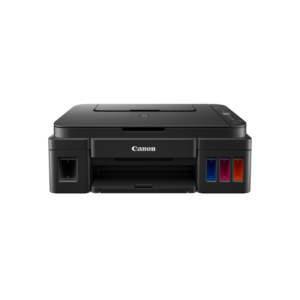
Borderless photo printing up to A4: The G3410 prints edge-to-edge on sizes from 10×15 cm up to A4, using compatible Canon photo papers including Photo Paper Plus Glossy II and Photo Paper Pro Luster — making it a practical option for home photo printing without dedicated photo hardware.
Front-facing integrated ink tanks: Ink levels are visible at a glance from the front of the unit without opening any panels. This reduces the chance of running out mid-job and makes refilling straightforward, even for less experienced users.
29 ppm A4 Mono Print Speed with Automatic Duplex: The MF275DW prints single-sided A4 pages at up to 29 pages per minute and handles automatic double-sided printing at up to 18.5 ipm. This reduces paper consumption and printing time on multi-page reports without manual page flipping.
35-Sheet Automatic Document Feeder with Fax: The included ADF allows unattended batch scanning and copying of up to 35 pages in a single load. Additionally, the integrated fax modem operates at 33.6 Kbps with memory for up to 256 pages, supporting offices that still receive fax transmissions alongside digital workflows.
TLS 1.3 Network Security with Secure PIN Print: The Canon i-SENSYS MF275DW encrypts network communication using TLS 1.3 and supports IEEE 802.1X, SNMPv3, and IP address filtering. Secure PIN Print holds jobs in the queue until the user authenticates at the device, preventing uncollected documents from sitting exposed in the output tray.
Wi-Fi, Wireless Direct, and Mobile Print Support: The printer connects via USB, Ethernet, or Wi-Fi 802.11b/g/n, and supports Wireless Direct for direct mobile connection without a router. It works with Apple AirPrint, Mopria for Android, the Canon PRINT Business app, and Microsoft Universal Print, covering both iOS and Android workflows.
Colour Scanning with Enhanced Resolution up to 9600 × 9600 dpi: Despite being a mono laser printer, the MF275DW scans in full colour at optical resolutions up to 600 × 600 dpi and enhanced resolutions up to 9600 × 9600 dpi. Consequently, it handles document digitisation, ID card copying, and cloud send workflows from a single compact device.
21 ppm A4 Colour Print Speed: The MF655CDW prints single-sided A4 pages at up to 21 pages per minute in both colour and mono. This throughput keeps shared-office queues short and reduces waiting time during busy periods.
Single-Pass Duplex ADF Scanner: The automatic document feeder scans both sides of a document in one pass, rather than requiring a second pass through the feeder. Consequently, scanning a 20-page double-sided document takes roughly half the time of a conventional ADF.
Multi-Layer Network Security: The printer supports TLS 1.3, IPSec, IEEE 802.1X, IP/MAC address filtering, SNMPv3, and Secure Print via PIN. These controls allow IT administrators to restrict access and protect sensitive documents without additional software.
Cloud and Mobile Print Support: The Canon i-SENSYS MF655CDW works with Apple AirPrint, Mopria for Android, the Canon PRINT Business app, and direct cloud printing from Dropbox, Google Drive, and OneDrive. Users can therefore send jobs directly from a smartphone or tablet without needing a PC as an intermediary.
Application Library and Remote Management: An embedded Application Library allows teams to automate repetitive document workflows. Furthermore, the iW Enterprise Management Console and eMaintenance RDS support remote fleet monitoring, automatic consumable tracking, and remote diagnostics.
26 ppm A4 Colour and Mono Print Speed: The C3326i prints single-sided A4 pages at up to 26 pages per minute in both colour and mono, with A3 output reaching 15 ppm. This throughput supports busy shared environments without queuing delays during peak hours.
Duplexing Automatic Document Feeder (DADF) at 70 ipm: The standard DADF scans both sides of a document in a single pass at 70 images per minute at 300 dpi. Consequently, a 50-page double-sided contract scans to a searchable PDF in under two minutes, without manual page turning.
Multi-Layer Security Architecture: The Canon imageRUNNER C3326i includes Secure Print, Force Hold Printing, TLS encryption, IEEE 802.1X, SNMPv3, IP/MAC address filtering, and Department ID Authentication. These controls allow IT administrators to restrict device access and audit usage per cost centre without additional third-party software.
Broad Cloud and Mobile Print Compatibility: The device works with Apple AirPrint, Mopria for Android, Canon PRINT Business, Microsoft Universal Print, and uniFLOW Online. Users can therefore send print jobs directly from iOS, iPadOS, Android, Windows, macOS, or ChromeOS devices across the network or from cloud storage.
1,200-Sheet Standard Paper Capacity: The standard configuration holds 1,200 sheets across the multi-purpose tray and two cassettes. Furthermore, adding the optional Cassette Feeding Unit-AW1 expands total input to 2,300 sheets, reducing refill interruptions during long production runs.
Six-Colour Dye-Based Ink System: The G540 uses six individual refillable ink tanks — Black, Cyan, Magenta, Yellow, Red, and Grey — delivering richer tonal gradations and smoother skin tones than four-colour setups. Consequently, portrait and landscape prints retain natural colour accuracy across the full range.
High Page Yield Per Bottle Set: One complete set of GI-43 ink bottles yields approximately 3,800 borderless 4×6 prints. This reduces the frequency of ink purchases and lowers the cost per photo considerably versus conventional cartridge printers.
Up to 4800 × 1200 dpi Print Resolution: Canon's dual FINE print head technology places ink droplets with precision, producing sharp detail in both text and photo output. Furthermore, auto print head alignment removes the need for manual calibration.
Wi-Fi with Multiple Wireless Protocols: The Canon Pixma G540 supports Wi-Fi, Apple AirPrint, Mopria for Android, Wireless Direct, and the Canon PRINT app. As a result, users can send print jobs directly from smartphones, tablets, or laptops without connecting a USB cable.
Borderless Printing Across Multiple Paper Sizes: The printer handles borderless output on A4, Letter, 4×6, 5×7, 7×10, 8×10, square, and card-size formats. This versatility makes it useful for printing greeting cards and event photos as well as standard document-sized images.
Generous In-Box Ink Supply: The Epson L6490 ships with one 127 ml black bottle and three 70 ml colour bottles, plus an additional black bottle — yielding up to 13,300 pages in black and 5,200 pages in colour from the starter set alone. Replacement bottles yield up to 7,500 pages in black and 6,000 pages in colour, keeping per-page costs low across the printer's working life.
DURABrite ET Pigment Ink: All four ink colours use pigment-based formulation, producing prints that are resistant to water, smudging, and highlighter marks. This makes the L6490 practical for business documents, invoices, and forms that are handled frequently after printing.
35-Sheet ADF with Automatic Duplex: The automatic document feeder handles multi-page scan, copy, and fax jobs without manual page loading. Furthermore, automatic duplex printing reduces paper consumption on double-sided reports and contracts at 7.5 ipm (black) and 5 ipm (colour).
Wi-Fi, Wi-Fi Direct, and Ethernet: The L6490 connects wirelessly to up to 8 devices simultaneously via Wi-Fi Direct without a router, and supports wired Ethernet for stable LAN integration. Mobile printing is covered through Apple AirPrint, Mopria, Epson iPrint, and Epson Smart Panel across iOS and Android platforms.
Heat-Free PrecisionCore Printhead: No heat is required during ink ejection, so the L6490 draws just 12 W during standalone copying — well below laser alternatives — with no warm-up delay. The first page arrives in as little as 7 seconds from ready mode.
11,000-Page Starter Ink Supply: Two black ink bottles ship with the Epson M2170, yielding up to 11,000 pages before replacement is needed. Each subsequent replacement bottle delivers up to 6,000 pages, keeping the cost per page low across typical home-office and small-business print volumes.
Heat-Free PrecisionCore Technology: No heat is required in the ink ejection process, so the M2170 draws just 12 W during standalone copying — significantly less than comparable mono laser devices. Additionally, no warm-up time means the first page arrives in as little as 6 seconds from ready mode.
Automatic Duplex Printing: The M2170 prints double-sided pages automatically at 9 A4 pages per minute, reducing paper consumption across reports, contracts, and reference documents without any manual page handling.
Wi-Fi, Wi-Fi Direct, and Mobile Printing: The printer connects over 802.11 b/g/n Wi-Fi and Wi-Fi Direct, supporting mobile printing via Apple AirPrint, Epson iPrint, Google Cloud Print, and Epson Connect cloud services across iOS, Android, and desktop platforms. Furthermore, scan-to-cloud workflows are supported directly from the device.
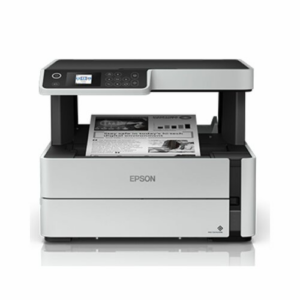
Compact Footprint with 250-Sheet Tray: At 375 × 347 × 302 mm and 6.4 kg, the M2170 occupies less desk space than the M3170 while retaining the same 250-sheet paper capacity. The front-facing ink tank with visible ink levels keeps refilling straightforward.
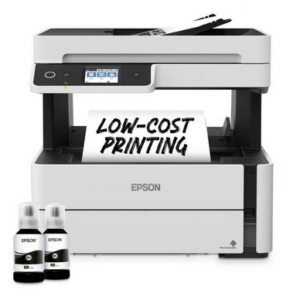
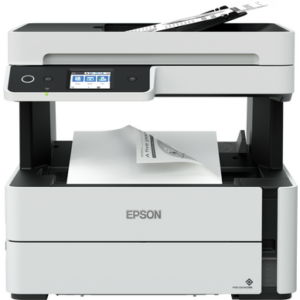
High-Yield EcoTank Ink Bottle System: Two starter ink bottles included with the EcoTank M3170 yield up to 11,000 pages combined, and each replacement bottle delivers up to 6,000 pages. This significantly reduces the frequency and cost of consumable purchases compared to toner cartridge devices.
Heat-Free PrecisionCore Printhead: Epson's heat-free technology requires no warm-up time and consumes up to 95% less power than comparable mono laser printers during operation. Additionally, the first page out arrives in as little as 6 seconds from ready mode, so the printer does not delay workflows.
35-Sheet ADF with Automatic Duplex: The automatic document feeder handles multi-page scan, copy, and fax jobs without manual page feeding. Furthermore, automatic duplex printing runs at 9 A4 pages per minute, reducing paper use across double-sided report and contract jobs.
Wi-Fi, Wi-Fi Direct, and Ethernet: The EcoTank M3170 works with up to 8 devices simultaneously over Wi-Fi Direct without requiring a router. Mobile printing is compatible with Apple AirPrint, Epson iPrint, Google Cloud Print, and Epson Connect cloud services across iOS, Android, and desktop platforms.
6.1 cm Colour Touchscreen: A colour touch panel provides direct access to all printer functions without navigating layered menus. As a result, users in shared office environments can configure copy quantities, fax destinations, and scan formats quickly and independently.
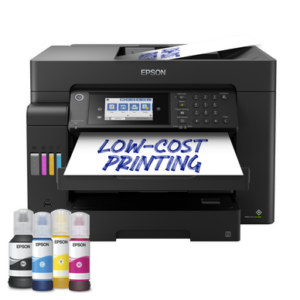
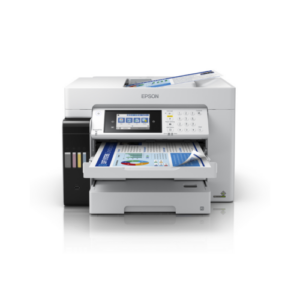
A3+ Colour Print, Scan, Copy, and Fax: The L15150 handles the full range of office document functions at A3+ dimensions, including borderless photo printing up to 329 × 6,000 mm. This removes the need for a separate A3 device in environments that regularly produce presentations, drawings, or marketing materials.
DURABrite ET Pigment Ink: Epson's pigment-based ink system produces water-resistant, smudge-free output suitable for documents handled frequently, including barcodes and shipping labels. Furthermore, replacement ink bottles yield up to 7,500 pages in black and 6,000 pages in colour (composite), substantially reducing consumable costs versus cartridge-based A3 alternatives.
550-Sheet Input Capacity with A3 ADF: Two 250-sheet front cassettes, a 50-sheet rear feed, and a 50-sheet A3 ADF provide a total input capacity of 550 sheets. As a result, the L15150 handles long unattended print runs and batch scanning jobs without constant operator attention.
Heat-Free PrecisionCore Printhead: No heat is needed in the ink ejection process, so the printer draws just 19 W during operation — significantly less than equivalent colour laser devices. Additionally, no warm-up time means the first black A4 page arrives in as little as 5.5 seconds from ready mode.
Wi-Fi, Wi-Fi Direct, and Ethernet: The L15150 supports simultaneous wireless connections for up to 8 devices via Wi-Fi Direct without a router, and works with Apple AirPrint, Mopria Print Service, Epson iPrint, and Epson Connect cloud services. A USB memory slot also allows direct printing without a connected computer.
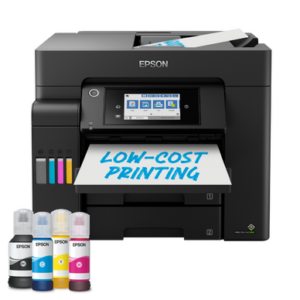
Equal Black and Colour Print Speeds: The Epson L15160 prints at 25 ipm in both black and colour (A4 simplex, ISO 24734), and 21 ipm in colour duplex. This removes the throughput penalty that affects slower colour inkjet printers and keeps shared queues moving at a consistent pace.
DURABrite ET Pigment Ink: Four-colour CMYK pigment ink produces water-resistant, smudge-free prints suitable for barcodes, letterheads, and frequently handled business documents. Furthermore, replacement ink bottles yield up to 7,500 pages in black and 6,000 pages in colour (composite), keeping per-page running costs low.
550-Sheet Input Capacity with A3 ADF: Two 250-sheet front cassettes, a 50-sheet rear feed, and a 50-sheet A3 ADF provide a combined input of 550 sheets. As a result, the L15160 handles extended unattended print runs and multi-page ADF scan batches without frequent paper loading.
Heat-Free PrecisionCore Printhead: No heat is required during the ink ejection process, so the printer draws just 18 W during standalone copying — well below comparable colour laser devices. Additionally, no warm-up time means the first black A4 page is ready in as little as 5.5 seconds from ready mode.
Wi-Fi, Wi-Fi Direct, Ethernet, and USB Host: The L15160 connects over Wi-Fi IEEE 802.11 b/g/n, Wi-Fi Direct (up to 8 devices without a router), and Ethernet for wired LAN integration. A USB Host port allows direct printing from USB memory drives without a connected computer.
Ultra-low running costs: The EcoTank system uses refillable ink bottles instead of cartridges. Each set yields up to 7,500 pages in black and 6,000 pages in colour, so ink top-ups happen far less often.
Heat-Free PrecisionCore printhead: Epson's heat-free technology ejects ink without a heated element. Consequently, power consumption drops, fewer parts wear out over time, and the printhead lasts the life of the printer.
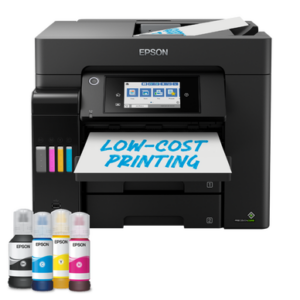
550-sheet total paper capacity: Two 250-sheet front-loading trays and a 50-sheet rear feed give the L6550 enough capacity to handle busy print queues without constant reloading.
Automatic duplex and ADF: The 50-sheet Automatic Document Feeder supports two-sided scanning, copying, and faxing. Therefore, double-sided workflows run without manual page-flipping.
Flexible wireless and wired connectivity: Wi-Fi, Wi-Fi Direct, and Ethernet are all supported. Furthermore, mobile users can print via Apple AirPrint, Mopria, Epson iPrint, and Epson Smart Panel from smartphones and tablets.
EcoTank Ink Bottle System: Replacement ink bottles yield up to 7,500 pages in black and 6,000 pages in colour, significantly reducing cost per page compared to cartridge-based alternatives.
PrecisionCore Heat-Free Printhead: Epson's heat-free technology consumes less energy during operation. Additionally, this printhead is engineered to last the lifetime of the printer, reducing long-term maintenance concerns.
550-Sheet Total Paper Capacity: Two 250-sheet front trays plus a 50-sheet rear feed handle large print runs without constant reloading. This makes the L6570 practical for shared office environments.
50-Sheet Automatic Document Feeder (ADF): The ADF supports two-sided copy, scan, and fax jobs automatically. As a result, multi-page duplex scanning and faxing require no manual page flipping.
Multi-Channel Connectivity: Wi-Fi, Wi-Fi Direct, and Ethernet support printing from desktops, laptops, smartphones, and tablets. Furthermore, Apple AirPrint and Epson iPrint compatibility extends reach to mobile devices without additional drivers.
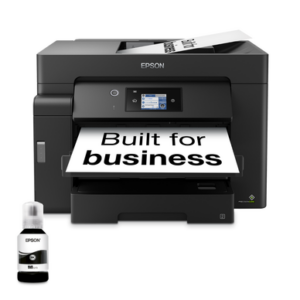
A3+ Print, Scan, and Copy: The M15140 handles media up to 329 × 6,000 mm, covering A3+, A4, A3, B4, Legal, and envelope formats. This makes it practical for architectural drawings, spreadsheets, posters, and other wide-format office documents that exceed A4 boundaries.
High-Capacity Triple-Tray Feed: Two 250-sheet A3 front cassettes, a 50-sheet A3 rear feed, and a 50-sheet A3 ADF combine for a total input capacity of 550 sheets. As a result, shared office environments spend less time reloading paper between jobs.
EcoTank Pigment Ink System: Each replacement black ink bottle yields up to 7,500 pages, and the ink produces smudge-free, highlighter-resistant output on plain paper. Consequently, per-page running costs remain low across high-volume print runs.
Heat-Free PrecisionCore Printhead: No heat is required in the ink ejection process, so the printer consumes significantly less power during operation than comparable mono laser devices. Additionally, there is no warm-up time, and the first A4 page emerges in as little as 5.5 seconds from ready mode.
Wi-Fi, Wi-Fi Direct, and Ethernet Connectivity: The M15140 works with up to 8 devices simultaneously via Wi-Fi Direct without requiring a router. Mobile printing is supported through Apple AirPrint, Epson iPrint, Mopria Print Service, and Epson Connect cloud services, covering iOS, Android, and desktop platforms.
11,000-Page Starter Ink Included: Two black ink bottles ship with the Epson M3140, combining for up to 11,000 pages before any replacement is needed. Each subsequent replacement bottle yields up to 6,000 pages, keeping the cost per page low across the printer's working life.
Heat-Free PrecisionCore Printhead: No heat is required during the ink ejection process, so the M3140 draws significantly less power than a comparable mono laser printer. Additionally, there is no warm-up delay — the first page arrives in as little as 6 seconds from ready mode.
Automatic Duplex Printing: The M3140 prints double-sided pages automatically at 9 A4 pages per minute, reducing paper use across reports, contracts, and reference documents without any manual page flipping.
35-Sheet ADF for Multi-Page Jobs: The automatic document feeder handles batches of up to 35 sheets for scanning, copying, and faxing without manual page-by-page loading. Furthermore, the 6.1 cm colour touchscreen provides direct access to all ADF-driven functions.
Compact Desktop Footprint: At 375 × 347 × 346 mm and 7.2 kg, the M3140 fits on a standard desktop without consuming workspace. The front-facing ink tank with a visible ink level window makes refilling straightforward and mess-free.
EcoTank Pigment Ink System: The included starter ink bottles yield up to 11,000 pages combined, and each replacement bottle delivers up to 6,000 pages. This substantially reduces how often you need to purchase consumables compared to cartridge or toner-based devices.
PrecisionCore Heat-Free Printhead: Epson's heat-free PrecisionCore technology uses up to 95% less power than comparable mono laser printers during operation. Additionally, no warm-up time means the M3170 starts printing immediately, with a first page out in as little as 6 seconds.
Automatic Document Feeder (ADF): The 35-sheet ADF handles multi-page scan, copy, and fax jobs without manual page-by-page feeding. Furthermore, automatic duplex printing runs at 9 A4 pages per minute, reducing paper consumption on double-sided documents.
Dual-Mode Wireless and Wired Connectivity: Wi-Fi, Wi-Fi Direct, and Ethernet support simultaneous connections across multiple devices. Mobile printing works through Apple AirPrint, Epson iPrint, Google Cloud Print, and Epson Email Print, making the M3170 compatible with iOS, Android, and desktop platforms.
6.1 cm Colour Touchscreen: The colour touch panel provides direct access to all printer functions without navigating complex menu trees. As a result, shared-office users can select copy counts, scan destinations, and fax settings quickly.




 No products in the cart.