
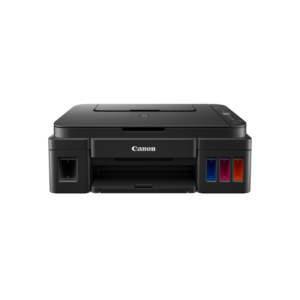
Canon i-SENSYS MF275DW A4 Mono Laser Multifunction Printer
The Canon i-SENSYS MF275DW is a compact A4 monochrome laser multifunction printer covering print, copy, scan, and fax in a single unit. It targets small offices, home offices, and remote workers who need a reliable, low-maintenance device for daily document output without a large footprint. Teams handling moderate print volumes — between 150 and 2,000 pages per month — will find this printer a practical fit for shared or individual use.
Technical Specifications
Print Performance
| Specification | Detail |
|---|---|
| Print Technology | Monochrome laser beam |
| Print Speed (A4, 1-sided) | Up to 29 ppm |
| Print Speed (A4, 2-sided) | Up to 18.5 ipm |
| Print Resolution | Up to 2400 equivalent × 600 dpi |
| First Print Out Time | Approx. 5.4 seconds (400 dpi); approx. 7.1 seconds (600 dpi) |
| Warm-Up Time | Approx. 7.5 seconds or less from power on |
| Printer Language | UFRII |
| Print Margins | 5 mm top, bottom, left, right |
| Toner Saver Mode | Yes |
Copy Performance
| Specification | Detail |
|---|---|
| Copy Speed (A4, 1-sided) | Up to 29 cpm |
| Copy Speed (A4, 2-sided) | Up to 18.5 ipm |
| First Copy Out Time (ADF, A4) | Approx. 8.9 seconds or less |
| First Copy Out Time (Platen, A4) | Approx. 7.6 seconds or less |
| Copy Resolution | Up to 600 × 600 dpi |
| Multiple Copies | Up to 999 |
| Reduction / Enlargement | 25% – 400% in 1% increments |
| Copy Modes | Text/Photo, Text/Photo High Speed, Photo, Text |
| Copy Features | Collate, 2-on-1, 4-on-1, ID Card Copy, Passport Copy |
Scan Performance
| Specification | Detail |
|---|---|
| Scanner Type | Flatbed + 35-sheet ADF |
| Colour Depth | 24-bit input/output |
| Optical Scan Resolution | Up to 600 × 600 dpi |
| Enhanced Scan Resolution | Up to 9600 × 9600 dpi |
| ADF Scan Speed (Mono, 300 × 600 dpi) | 20 ipm |
| ADF Scan Speed (Colour, 300 × 300 dpi) | 15 ipm |
| Platen Scan Speed (Mono) | Approx. 2.7 sec/page (300 × 600 dpi) |
| Platen Scan Speed (Colour) | Approx. 3.5 sec/page (300 × 300 dpi) |
| Greyscale Levels | 256 |
| Max. Scan Width | 216 mm |
| Scan Destinations | PC (JPEG), Cloud (TIFF/JPEG/PDF/PNG via MF Scan Utility or Canon PRINT Business app) |
| Compatibility | TWAIN, WIA |
Fax Performance
| Specification | Detail |
|---|---|
| Modem Speed | 33.6 Kbps (up to 3 seconds/page) |
| Fax Memory | Up to 256 pages |
| Fax Resolution | Normal: 200 × 100 dpi; Fine: 200 × 200 dpi; Super Fine: 200 × 400 dpi |
| Receive Modes | Fax Only, Fax/Tel Auto Switch, Answer Mode, Manual |
| Speed Dials | Up to 104 |
| Group Dials | Up to 50 destinations per group |
| Sequential Broadcast | Up to 114 destinations |
| Double-Sided Faxing | Yes (transmit and receive) |
| Memory Backup | Permanent (flash memory) |
Paper Handling
| Specification | Detail |
|---|---|
| Paper Cassette Capacity | 150 sheets |
| Multi-Purpose Tray | 1 sheet |
| ADF Capacity | 35 sheets |
| Output Tray Capacity | 50 sheets |
| Cassette Media Weight | 60 – 163 g/m² |
| ADF Media Weight | 50 – 105 g/m² (multiple sheets); 105 – 128 g/m² (single sheet) |
| Duplex Media Weight | 60 – 105 g/m² |
| Supported Sizes (Cassette) | A4, A5, A5R, A6, B5, Legal, Letter, Executive, Statement, OFFICIO, Foolscap, 16K, Envelopes (COM10, Monarch, DL, C5); custom 76 × 127 mm to 216 × 356 mm |
| Supported Sizes (ADF) | A4, A5, A6*, B5, B6, Legal, Letter; custom 105 × 148 mm to 216 × 356 mm (*attachment required) |
| Supported Media Types | Plain, Recycled, Heavy, Thin, Bond, Label, Postcard, Envelope |
Connectivity
| Specification | Detail |
|---|---|
| Wired | USB 2.0 Hi-Speed; Ethernet 10Base-T / 100Base-TX |
| Wireless | Wi-Fi IEEE 802.11b/g/n; Wireless Direct |
| Wireless Security | WEP 64/128-bit, WPA/WPA2-PSK (TKIP/AES), WPA/WPA2-EAP (AES) |
| Mobile Printing | Apple AirPrint, Mopria (Android), Canon PRINT Business app, Microsoft Universal Print |
| Network Protocols | LPD, Port9100, WSD (print); TCP/IP, USB (pull scan); SNMPv1, SNMPv3 |
| Security Protocols | TLS 1.3, IEEE 802.1X, SNMPv3, IP address filtering, SSL (HTTPS, IPPS) |
| OS Compatibility | Windows 8.1/10/11, Server 2012–2022, macOS 10.12 or later, Linux |
General
| Specification | Detail |
|---|---|
| Processor | 1,200 MHz |
| Memory | 256 MB |
| Control Panel | 6-line B&W LCD touchscreen |
| Recommended Monthly Volume | 150 – 2,000 pages |
| Maximum Duty Cycle | Up to 20,000 pages per month |
| Dimensions (W × D × H, with trays) | 390 × 374 × 368 mm |
| Weight | Approx. 11.6 kg |
| Power Consumption (Active) | Approx. 530 W |
| Power Consumption (Sleep) | Approx. 1.0 W |
| Typical Energy Consumption (TEC) | 0.23 kWh/week |
| Noise Level (Active, Simplex) | 50 dB |
| Operating Temperature | 10°C – 30°C |
| Operating Humidity | 20% – 80% RH (no condensation) |
Consumables
| Cartridge | Page Yield |
|---|---|
| Toner Cartridge 071 | Approx. 1,200 pages (ISO/IEC 19752) |
| Toner Cartridge 071H | Approx. 2,500 pages (ISO/IEC 19752) |
| Starter Cartridge (in-box) | Approx. 700 pages |
Use Cases & Applications
Small Office and Home Office Daily Printing
The Canon i-SENSYS MF275DW suits individual users or small teams producing up to 2,000 pages per month. The 150-sheet cassette and 50-sheet output tray handle typical daily batches without constant reloading. Furthermore, automatic duplex printing keeps paper costs down on longer documents such as reports, contracts, or draft proposals.
Batch Scanning and Cloud Distribution
The 35-sheet ADF allows unattended scanning of multi-page documents directly to a PC, cloud storage, or email without manual page feeding. Scan outputs in PDF, TIFF, JPEG, or PNG route through the MF Scan Utility or Canon PRINT Business app. This workflow suits offices digitising incoming correspondence, filing signed documents, or distributing meeting notes to remote colleagues.
Mobile and Hybrid Work Environments
The Wireless Direct feature allows a laptop or smartphone to connect directly to the printer without a local Wi-Fi network present. This makes the MF275DW practical for hybrid workers who carry the device between home and office, or for small meeting rooms without a dedicated network point. Microsoft Universal Print support additionally removes the need for on-site print drivers when connecting Windows 10 and 11 devices through a cloud-managed environment.



 No products in the cart.
Reviews
There are no reviews yet.