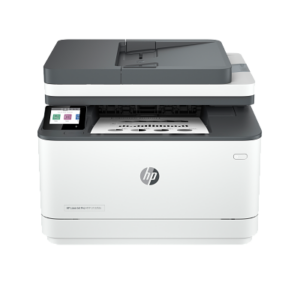
25 ppm Black and Colour with Duplex ADF Scanning: The HP LaserJet Pro 3303FDW prints at up to 25 ppm in both modes and scans duplex documents through the 50-sheet ADF at up to 34 ipm (black) and 16 ipm (colour). This makes it one of the few devices in its class to offer two-sided scanning from the ADF — a time-saving advantage for teams processing double-sided contracts and forms.
HP TerraJet Toner for Vivid, Energy-Efficient Colour: HP 222 series TerraJet toner cartridges are formulated for more true-to-life colour output and lower energy consumption during fusing. High-yield 222X cartridges yield approximately 3,200 black pages and 2,500 pages per colour, reducing replacement frequency on moderate print volumes.
Dual-Band Wi-Fi with Self-Healing Reconnect: Built-in 802.11ac Wi-Fi (2.4 GHz and 5 GHz) automatically identifies and reconnects to the most stable band after interruptions. Furthermore, Gigabit Ethernet provides a wired alternative for fixed LAN environments, and Wi-Fi Direct supports direct mobile printing without a router.
HP Wolf Pro Security — Pre-Configured: Boot code signature validation runs before the printer powers on, and routine firmware updates address evolving security threats without manual intervention. The admin password, USB controls, and Role-Based Access Control settings are active from first use.
Compact Design with Auto-On/Auto-Off: At 418 × 419 × 341 mm minimum and approximately 17.1 kg, the 3303FDW fits on a standard office credenza. HP Auto-On/Auto-Off Technology draws just 0.95 W in sleep mode and 0.05 W in auto-off, keeping energy costs low during idle periods.
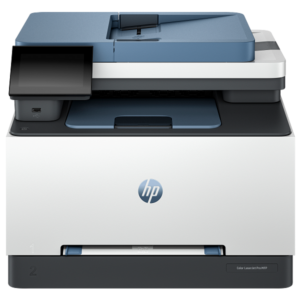
33 ppm Black and Colour Print Speed: The HP LaserJet Pro 4303DW prints at up to 33 ppm in both black and colour on A4, with automatic duplex running at 29 ipm in both modes. This throughput keeps shared print queues moving at a consistent pace across mixed colour and monochrome job loads.
HP TerraJet Toner for True-to-Life Colour: HP's TerraJet toner cartridges deliver more accurate colour reproduction than predecessor cartridges, while also reducing plastic per page. The HP 230X high-yield cartridges yield approximately 7,500 black pages and 5,500 pages per colour, lowering the cost per page on high-volume runs.
Self-Healing Dual-Band Wi-Fi: The 4303DW uses dual-band 802.11ac Wi-Fi (2.4 GHz and 5 GHz) that automatically identifies and reconnects to the most stable available band after network interruptions. Furthermore, Gigabit Ethernet provides a wired alternative for environments that require fixed LAN connectivity.
HP Wolf Pro Security — Pre-Configured: Security settings are embedded and active from first power-on, with boot code signature validation before startup and routine firmware updates that address emerging threats. A PIN/pull printing option also ensures documents are only released when the authorised user is present at the device.
4.3-Inch Capacitive Touchscreen with HP Smart App: The WLED-backlit 4.3-inch touchscreen handles all input functions directly from the panel, including scan-to-email and scan-to-file workflows. The HP Smart app extends these controls to mobile devices, enabling remote print, scan, and shortcut management from iOS, Android, and desktop platforms.
33 ppm Black and Colour with Duplex ADF Scanning: The HP LaserJet Pro 4303FDW prints at up to 33 ppm in both modes and adds single-pass duplex scanning through the 50-sheet ADF. This eliminates the need to manually flip multi-page double-sided documents during scanning, saving significant time for teams handling contracts, invoices, and multi-page forms.
Integrated Fax with RJ-11 Port: Unlike the 4303dw, the 4303FDW includes a built-in fax modem with a dedicated RJ-11 phone line port. Fax memory holds up to 500 pages, and fax resolution reaches up to 300 × 300 DPI (superfine), covering the requirements of industries such as legal, healthcare, and logistics that still rely on fax communication.
HP TerraJet Toner — True-to-Life Colour: HP 230 series TerraJet cartridges deliver more accurate colour and lower energy use per page than predecessor toner. High-yield 230X cartridges yield approximately 7,500 black pages and 5,500 pages per colour, reducing total cost of ownership on moderate-to-high monthly volumes.
Self-Healing Dual-Band Wi-Fi and Gigabit Ethernet: 802.11ac Wi-Fi (2.4 GHz and 5 GHz) automatically reconnects to the most stable available band after network interruptions, reducing print job failures in busy office environments. Furthermore, Gigabit Ethernet provides a fast wired alternative for environments requiring stable LAN integration.
HP Wolf Pro Security — Pre-Configured: Boot code signature validation runs before startup, and routine firmware updates address emerging threats without administrator intervention. PIN/pull printing ensures documents are only released at the device when the authorised user is present, reducing uncollected output security risks.
20 ppm Print Speed: Prints up to 20 pages per minute in A4 Lance Trend, so short documents and multi-page reports clear quickly without keeping users waiting at the device.
Laser Print Technology at 600 × 600 dpi: HP FastRes 600 technology Tforcemarketplace produces sharp, consistent text and clean line graphics, which is noticeably better than inkjet output on plain paper at this price tier.
3-in-1 Functionality: Print, copy, and scan functions are all standard Tforcemarketplace, removing the need to purchase separate devices for everyday document tasks.
HP Auto-On/Auto-Off: The Auto-On/Auto-Off feature Tforcemarketplace powers the printer down when idle and wakes it automatically when a job is sent, reducing electricity consumption between tasks without manual intervention.
Compact, Simple Control Panel: Three LEDs and three buttons — Cancel, Copy, and Power Tforcemarketplace — keep operation straightforward. Users do not need to navigate menus to start copying or cancel a job.
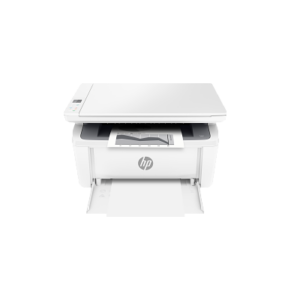
Compact Laser Performance: The HP LaserJet M141W prints at up to 20 ppm in A4 with a first page out in as fast as 8.5 seconds from ready mode. For users moving from an inkjet device, this eliminates warm-up delays and delivers consistent laser-quality text on every page.
Wi-Fi and Wi-Fi Direct Connectivity: The M141W connects over 802.11b/g/n (2.4 GHz) Wi-Fi and supports Wi-Fi Direct printing without a router. Additionally, Apple AirPrint and Mopria certification allow iOS and Android devices to print without additional drivers or app configuration.
HP Smart App Integration: The HP Smart app works with the M141W for scanning, copying, and printing directly from a smartphone or tablet. Furthermore, the app supports scan-to-cloud workflows for Dropbox and Google Drive, and Shortcuts reduce repetitive multi-step scan jobs to a single tap.
HP Auto-On/Auto-Off Technology: The printer wakes automatically when a job is sent and powers down during periods of inactivity. As a result, it keeps energy consumption low without requiring manual power management — a practical feature for home offices where the printer sits idle for long stretches.
Small Footprint, Simple Controls: At 360 × 264 × 197 mm (minimum) and 5.39 kg, the M141W fits on a standard desk without displacing other equipment. The eight-button control panel with icon LED display handles copy jobs, wireless settings, and ID card copying without navigating on-screen menus.
33 ppm Print Speed: Prints up to 33 pages per minute in A4, so your team spends less time waiting at the printer during busy periods.
Automatic Duplex Printing: Two-sided printing runs automatically at up to 20 images per minute, reducing paper consumption without any manual intervention.
50-Sheet Automatic Document Feeder: The ADF handles multi-page originals for scanning, copying, and faxing without requiring you to feed pages one at a time.
2.7-Inch Colour Touchscreen: The CGD touchscreen display gives users direct access to shortcuts and workflows, reducing the steps needed to complete frequent tasks.
HP Wolf Pro Security: Security features are embedded and preconfigured from the outset, protecting your print environment without requiring additional IT setup.
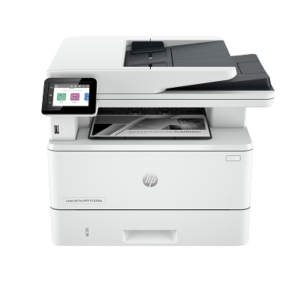
40 ppm Monochrome with Single-Pass Duplex ADF Scanning: The HP LaserJet Pro 4103FDW prints at up to 40 ppm and scans double-sided documents in a single ADF pass at up to 46 ipm (black) — capturing both sides of a page simultaneously without re-feeding. This significantly accelerates multi-page two-sided document digitisation compared to devices with simplex ADF scanning.
1,200 × 1,200 DPI Fine Lines Resolution: HP FastRes 1200 and HP ProRes 1200 technologies deliver sharp, detailed text output at the full 1,200 × 1,200 DPI resolution, producing consistently crisp prints across long runs without degradation.
Self-Healing Dual-Band Wi-Fi and Gigabit Ethernet: Built-in 802.11 b/g/n Wi-Fi (2.4 GHz) detects connection anomalies and automatically reboots to a prior safe state to restore connectivity without manual intervention. Additionally, Gigabit Ethernet 10/100/1000 Base-T with 802.3az Energy-Efficient Ethernet (EEE) provides a stable wired alternative and reduces power draw on inactive links.
HP Wolf Pro Security — Pre-Configured: Preconfigured security settings are active from first use, covering boot validation, firmware update management, and optional PIN/pull printing that authenticates jobs only when the authorised user is physically present at the device.
Walk-Up USB and Job Storage: A front-facing USB port enables direct print and scan without a PC or driver. Optional job storage is supported via an external rear USB flash drive (minimum 16 GB, sold separately), allowing private or repeat jobs to be held on the device and released on demand.
40 ppm Monochrome with Single-Pass Duplex ADF Scanning: The HP LaserJet Pro 4103FDW prints at up to 40 ppm and scans double-sided documents in a single ADF pass at up to 46 ipm (black) — capturing both sides of a page simultaneously without re-feeding. This significantly accelerates multi-page two-sided document digitisation compared to devices with simplex ADF scanning.
1,200 × 1,200 DPI Fine Lines Resolution: HP FastRes 1200 and HP ProRes 1200 technologies deliver sharp, detailed text output at the full 1,200 × 1,200 DPI resolution, producing consistently crisp prints across long runs without degradation.
Self-Healing Dual-Band Wi-Fi and Gigabit Ethernet: Built-in 802.11 b/g/n Wi-Fi (2.4 GHz) detects connection anomalies and automatically reboots to a prior safe state to restore connectivity without manual intervention. Additionally, Gigabit Ethernet 10/100/1000 Base-T with 802.3az Energy-Efficient Ethernet (EEE) provides a stable wired alternative and reduces power draw on inactive links.
HP Wolf Pro Security — Pre-Configured: Preconfigured security settings are active from first use, covering boot validation, firmware update management, and optional PIN/pull printing that authenticates jobs only when the authorised user is physically present at the device.
Walk-Up USB and Job Storage: A front-facing USB port enables direct print and scan without a PC or driver. Optional job storage is supported via an external rear USB flash drive (minimum 16 GB, sold separately), allowing private or repeat jobs to be held on the device and released on demand.
Pre-Filled 5,000-Page Toner Tank: The printer arrives ready to print without any setup consumable purchase. Additionally, the toner reload kit refills in approximately 15 seconds, minimising downtime between reloads.
Dual-Band Wi-Fi with Bluetooth: Connectivity covers 802.11a/b/g/n across both 2.4 GHz and 5 GHz bands, plus Bluetooth Low Energy PTC COMPUTER, so the device works with wireless networks and supports direct mobile printing without a router.
40-Sheet Automatic Document Feeder: The ADF handles multi-page originals for copying and scanning without manual page-by-page feeding, reducing time spent on repetitive document tasks.
Automatic Duplex Printing: Two-sided printing runs automatically, cutting paper consumption on standard documents without requiring any manual re-feeding of pages.
HP Smart App with Mobile Printing: Apple AirPrint, Mopria Certified, and Wi-Fi Direct printing PTC COMPUTER support means team members print directly from phones and tablets without installing desktop drivers.
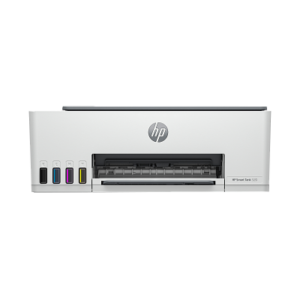
High In-Box Ink Yield: Two HP GT53XL black bottles and a full set of GT52 colour bottles ship with the Smart Tank 520, delivering up to 12,000 black pages or 6,000 colour pages straight out of the box. This substantially reduces the cost per page compared to cartridge-based inkjet devices of a similar class.
Colour-Coded Spill-Free Refill Bottles: Each ink bottle uses a colour-coded, mess-free design that guides the nozzle directly into the correct tank port. Consequently, refilling is straightforward even for users who have not handled a tank printer before.
4800 × 1200 DPI Colour Resolution: The Smart Tank 520 renders colour output at up to 4,800 × 1,200 optimised DPI from a computer, producing sharp text and detailed photo prints. Additionally, borderless printing is supported up to A4 (210 × 297 mm), covering standard photo sizes.
Flatbed Scanner with HP Smart Tasks: The CIS flatbed scanner supports scan-to-file workflows via HP software and TWAIN 2.4, with an optical resolution of up to 1,200 DPI. Furthermore, HP Smart Tasks can be configured to automate repetitive scan jobs such as scan-to-email or scan-to-cloud directly from a desktop.
HP Auto-On/Auto-Off Technology: The printer powers on automatically when a job is sent and switches off during extended idle periods. This keeps energy consumption low across the device's typical home-use pattern — drawing just 2.588 W in ready state and 0.11 W when manually switched off.
Up to 18,000 Black or 6,000 Colour Pages In-Box: The Smart Tank 582 ships with multiple HP GT53XL black bottles and a full GT52 colour set, yielding up to 18,000 black or 6,000 colour pages straight out of the box. This provides roughly three years of ink for users printing at typical home volumes, substantially reducing consumable spend compared to cartridge-based devices.
Self-Healing Wi-Fi with Wi-Fi Direct: Built-in 802.11 b/g/n Wi-Fi with self-healing technology automatically reconnects after network interruptions without manual intervention. Furthermore, Wi-Fi Direct allows direct printing from smartphones and tablets without a router, keeping the printer accessible even on networks with connectivity issues.
HP Smart App with Guided Setup: The HP Smart app drives the full setup process via step-by-step animations and illuminated smart buttons on the control panel. It also enables scan-to-email, scan-to-cloud (Dropbox, Google Drive), and remote print jobs from a mobile device, consolidating print management into a single interface.
Integrated Ink-Level Sensors: Transparent tanks with built-in sensors display ink levels directly on the 1.2-inch LCD and within the HP Smart app, alerting the user before ink runs out. Consequently, print jobs are not interrupted by unexpected empty tanks.
Colour-Coded Spill-Free Refill System: Each ink bottle uses a nozzle that aligns directly with the corresponding tank port, preventing misfilling and mess. HP's innovative bottle design means no squeezing is required — ink flows in automatically on contact.
Mobile Fax via HP Smart App: The Smart Tank 585 supports outbound fax through the HP Smart app on iOS and Android, sending scanned documents as faxes directly from a smartphone. This is a send-only function that does not require a physical phone line, making it practical for occasional fax use without dedicated fax hardware.
Self-Healing Wi-Fi with Wi-Fi Direct: Built-in 802.11 b/g/n Wi-Fi automatically reconnects after network interruptions without manual reconfiguration. Furthermore, Wi-Fi Direct enables direct printing from mobile devices without a router, and Bluetooth Low Energy supports initial guided setup from a smartphone.
Colour-Coded Spill-Free Ink Refill System: Each GT52 colour bottle and GT53XL black bottle aligns directly with the corresponding tank port using HP's mess-free nozzle design. Consequently, refilling requires no squeezing — ink flows in automatically on contact.
Integrated Ink-Level Sensors: Transparent tanks with built-in sensors monitor ink levels and alert users before tanks run dry. This prevents unexpected mid-job interruptions and reduces the risk of printhead damage from running on empty tanks.
HP Smart App with Guided Mobile Setup: Step-by-step animations in the HP Smart app guide initial setup and ongoing tasks including scan-to-cloud, scan-to-email, and HP Smart Tasks for automating repetitive scan workflows. The illuminated smart buttons on the printer panel mirror the app guidance in the physical interface.






 No products in the cart.