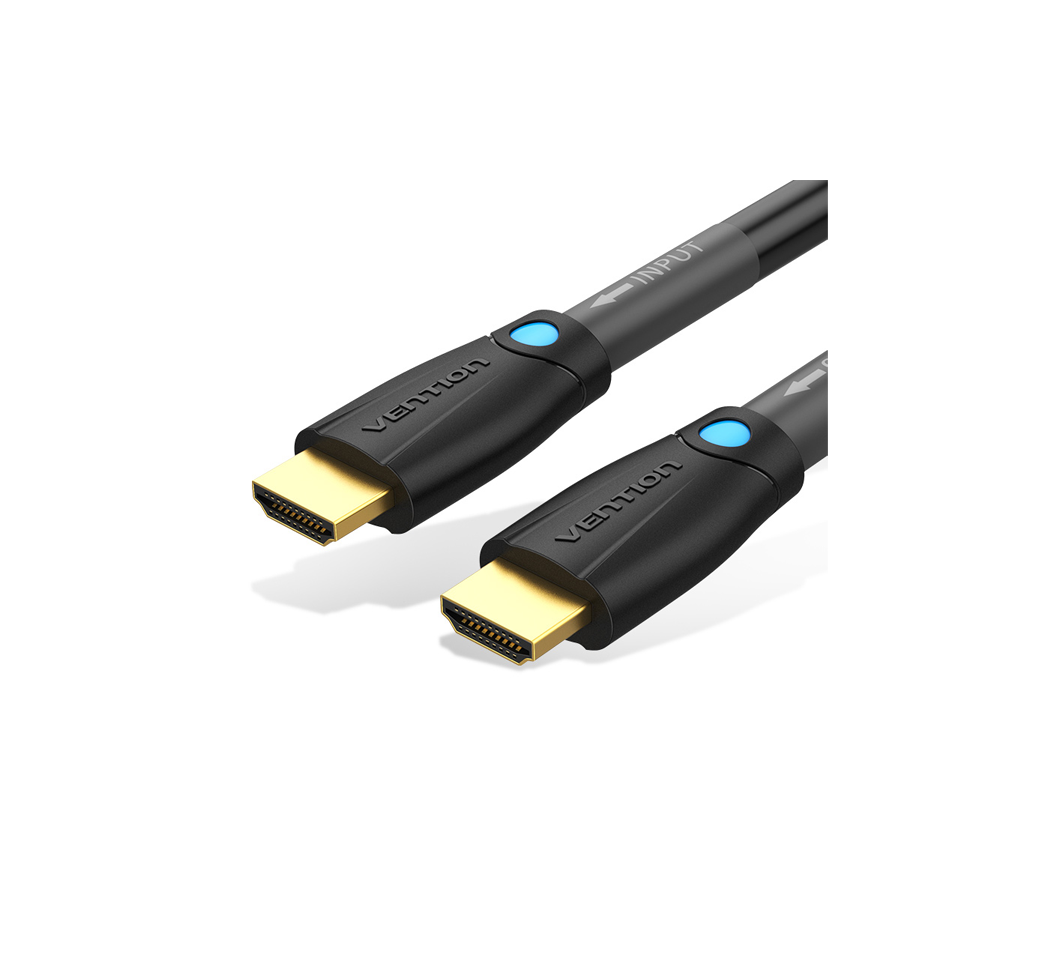
Vention HDMI Cable 40M for Engineering (AAMBV)
The Vention AAMBV is a 40-meter HDMI cable designed for long-distance video transmission in professional and industrial installations. This extended-length cable incorporates active signal amplification to maintain 4K resolution across the full distance without quality loss. It addresses the connectivity challenges of large facilities, outdoor installations, and distributed AV systems where standard passive cables cannot reach.
Technical Specifications
Cable Specifications
- Length: 40 meters (131.2 feet)
- Cable Type: Active HDMI with integrated signal processor
- HDMI Version: 2.0 standard compliant
- Conductor Material: Oxygen-free copper (OFC) with active chipset
- Outer Jacket: Heavy-duty PVC rated for commercial installations
Performance Characteristics
- Maximum Resolution: 4K (3840×2160) at 30Hz
- Supported Resolution: 1080p Full HD at 60Hz
- Bandwidth: 10.2 Gbps effective throughput
- Color Depth: Up to 36-bit Deep Color
- Audio Support: Multi-channel digital audio including Dolby Digital and DTS
Physical Design
- Connector Type: HDMI Type A male (both ends) – directional
- Source Connector: USB power port for active electronics (optional)
- Connector Plating: Gold-plated contacts for corrosion resistance
- Cable Diameter: Approximately 10mm
- Cable Weight: ~1.2 kg total for handling considerations
Power & Operation
- Power Source: Draws power from HDMI source device (most applications)
- USB Power Option: Micro-USB port available if source cannot provide sufficient power
- Power Consumption: <500mW during active transmission
- Operating Temperature: -10°C to 50°C (14°F to 122°F)
Compatibility & Standards
- Device Compatibility: Works with PCs, laptops, video matrices, projectors, digital signage displays, and AV receivers
- Compliance: HDCP 2.2 content protection, RoHS environmental standards
- Installation Rating: Suitable for permanent installations in commercial buildings
Use Cases & Applications
Large Venue AV Systems
The Vention AAMBV connects video sources to displays in convention centers, exhibition halls, and sports facilities. Event production teams can position equipment racks backstage while feeding video to front-of-house displays. The cable eliminates the need for expensive fiber optic converters in many standard installations.
Manufacturing & Industrial Monitoring
Production facilities use this cable to connect control systems to operator displays across factory floors. The 40-meter reach spans from control rooms to manufacturing cells without intermediate equipment. Its active amplification ensures consistent video quality in environments with electromagnetic interference from machinery.
Educational Campus Networks
Universities deploy the Vention AAMBV between buildings or across large lecture halls for centralized AV distribution. IT departments can maintain source equipment in secure server rooms while serving multiple viewing locations. The directional design simplifies technician training and reduces installation mistakes.
Digital Signage Networks
Retail centers and transportation hubs use this cable for extended digital signage runs from media players to remote displays. Installers can hide media players in back-of-house areas while positioning screens in public viewing zones. However, for 4K content at 60Hz, shorter cable runs or fiber solutions may be necessary.
Houses of Worship
Religious facilities connect video production equipment to projection systems across sanctuaries and fellowship halls. The cable spans from tech booths to stage displays without visible mid-run connections. It supports worship services, presentations, and community events with reliable video transmission.
Construction Site Coordination
Temporary project offices use the Vention AAMBV to connect job site cameras or BIM visualization systems to planning areas. Engineers can monitor construction progress on remote displays positioned away from field equipment. The cable withstands temporary installation conditions during project duration.
Installation Considerations
Directional Configuration
This active HDMI cable must be connected in the correct direction. The connector labeled “Source” connects to your computer, media player, or video matrix. The opposite end labeled “Display” connects to your monitor, projector, or TV. Reversing the cable will result in no signal transmission.
Power Requirements
Most modern HDMI sources provide sufficient power through the HDMI connection itself. If you experience signal dropouts or no image, connect a standard USB power adapter to the micro-USB port on the source connector. This is more common when using older equipment or devices with limited power output.
Cable Routing Best Practices
When running the Vention AAMBV through walls or conduits, avoid sharp bends below the 50mm minimum bend radius. Use cable supports every 2-3 meters for horizontal runs to prevent sagging. Additionally, separate the cable from high-voltage power lines by at least 300mm to minimize interference despite the cable’s shielding.




 No products in the cart.
Reviews
There are no reviews yet.