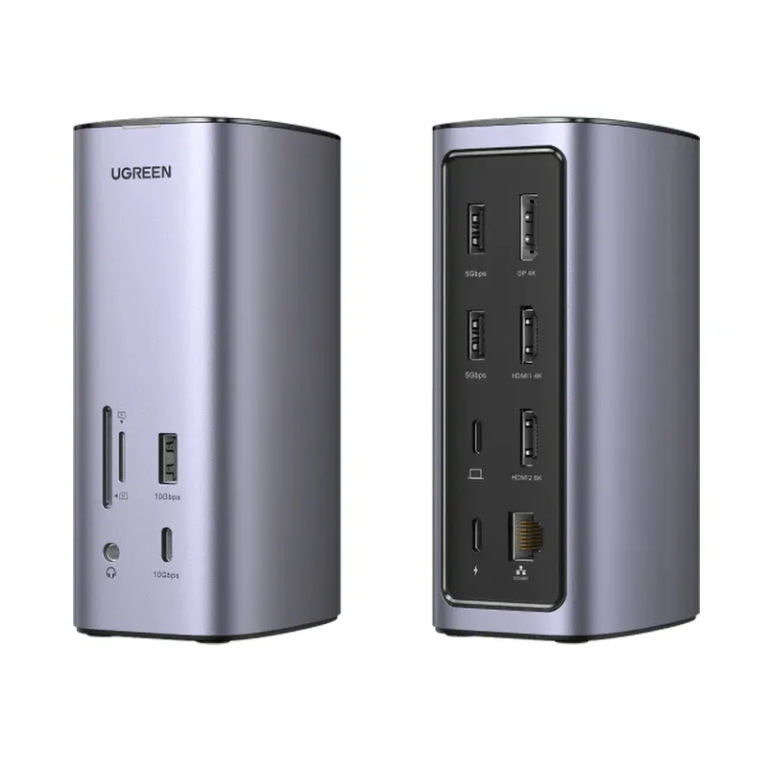
UGREEN 12-in-1 Fast Charge Universal Docking Station with Triple Display and 100W Power Delivery
The UGREEN 12-in-1 docking station converts a single USB-C port into a full 12-port workstation hub, supporting triple-display output across two HDMI and one DisplayPort connection. It targets professionals and power users who need to drive multiple monitors, transfer data at speed, and keep their laptop charged — all through one cable. Compatible with Windows and macOS systems, including M1 and M2 MacBooks, it works with virtually any laptop or tablet that features a full-function USB-C port.
Technical Specifications
Host Connection
| Attribute | Detail |
|---|---|
| Host Interface | USB-C (detachable cable, approximately 1 m) |
| Cable Protocol | USB 3.2 Gen 2 / USB4 Gen 2, E-Marker chip |
| Max Charging Input | 20V / 5A (100W) |
Video Output
| Port | Max Resolution | Notes |
|---|---|---|
| HDMI 1 (rear) | 4K @ 60 Hz | Windows and macOS |
| HDMI 2 (rear) | 8K @ 30 Hz (Windows) / 4K @ 60 Hz (macOS) | Requires DisplayLink driver |
| DisplayPort (rear) | 4K @ 60 Hz | Windows and macOS |
| Multi-Monitor Mode | Triple display extended or mirror | Driver installation required |
USB Ports
| Port | Standard | Speed | Location |
|---|---|---|---|
| USB-A (×2) | USB 3.2 Gen 1 | 5 Gbps | Rear |
| USB-A | USB 3.2 Gen 2 | 10 Gbps | Front |
| USB-C | USB 3.2 Gen 2 | 10 Gbps | Front |
Power Delivery
| Attribute | Detail |
|---|---|
| USB-C PD Output | 100W (PD 3.0) |
| Charging Standard | Requires external power adapter (not included) |
Networking
| Attribute | Detail |
|---|---|
| Ethernet | RJ45, Gigabit (10/100/1000 Mbps adaptive) |
Storage and Audio
| Port | Specification |
|---|---|
| SD Card Slot | SD 3.0, up to 104 MB/s |
| microSD Card Slot | SD 3.0, up to 104 MB/s |
| Audio Jack | 3.5 mm combo (headphone + microphone) |
Compatibility
| Attribute | Detail |
|---|---|
| Operating Systems | Windows XP, 7, 8, 8.1, 10, 11; all macOS versions |
| Apple Silicon | M1 and M2 MacBooks supported (with display limitations) |
| Driver Requirement | DisplayLink driver required for display and network functions |
Package Contents
| Item | Quantity |
|---|---|
| USB-C Docking Station | 1 |
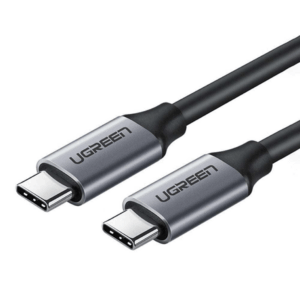
| USB-C to USB-C Cable (~1 m) | 1 |
| Driver Installation CD | 1 |
| User Manual | 1 |
| Power Adapter | Not included |
| HDMI Cable | Not included |
Use Cases and Applications
Multi-Monitor Workstations Knowledge workers, video editors, and developers frequently need screen real estate that a single laptop display cannot provide. By connecting to the dock’s two HDMI ports and the DisplayPort simultaneously, users can run three independent monitors in extended mode. Consequently, this arrangement allows one screen for reference material, one for active work, and a third for communication tools — without any switching.
Mobile Professionals and Hot-Desking Environments Laptop users who move between home, office, and client sites benefit from a single-cable desksetup: one USB-C connection to the dock restores all peripherals, displays, network, and charging at once. The detachable cable design also means replacing it is straightforward if wear occurs, without needing to replace the dock itself.
Content Creators and Photographers The integrated SD and microSD card slots, paired with the 10 Gbps USB-C data port, make the dock well suited for offloading camera footage or RAW photo files directly. Additionally, the 8K-capable HDMI output allows connection to high-resolution reference monitors for colour grading or detailed retouching work on compatible Windows systems.
Remote and Hybrid Workers Stable network connectivity matters for video conferencing and cloud application use. The Gigabit Ethernet port removes the interference and inconsistency that can affect Wi-Fi in shared spaces, while the 3.5 mm combo audio jack supports a wired headset for clear call audio alongside the connected monitors and peripherals.




 No products in the cart.
Reviews
There are no reviews yet.