
UGREEN CM639 8-in-1 USB-C Triple Display Docking Station (35588)
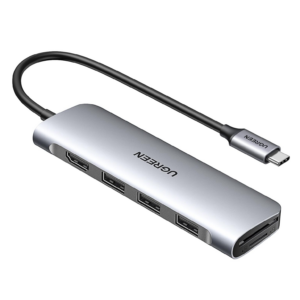
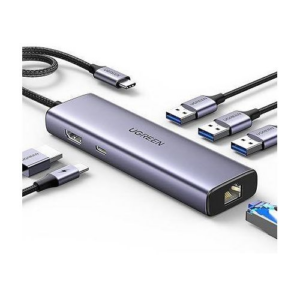
The UGREEN 35588 USB-C dock converts a single USB-C port into eight simultaneous connections — two 4K HDMI outputs, a 1080p VGA output, dual USB-C 3.2 Gen 2 data ports, dual USB-A 3.2 Gen 2 ports, and 100W pass-through charging — supporting dual or triple external display configurations from one cable. It targets Windows professionals, educators, and office users who need multi-screen output including legacy VGA connectivity for projectors or older monitors that lack HDMI inputs. Additionally, the aluminium housing keeps the unit cool during intensive multi-display operation.
Technical Specifications
Connectivity
| Port | Specification |
|---|---|
| Host Input | 1× USB-C Male (connects to host device) |
| HDMI 1 | HDMI 2.0 — up to 4K@60Hz |
| HDMI 2 | HDMI 2.0 — up to 4K@60Hz |
| VGA | 1× VGA — up to 1080p@60Hz (analogue) |
| USB-A (×2) | USB 3.2 Gen 2 — 10 Gbps each; data only |
| USB-C (×2) | USB 3.2 Gen 2 — 10 Gbps each; data only; no video or charging |
| USB-C PD | Up to 100W input / 85W pass-through; PD 3.0; charging only |
Video Output — Display Mode Matrix
| Configuration | Max Resolution | OS Support |
|---|---|---|
| Single HDMI (either port) | 4K@60Hz | Windows, macOS, Linux |
| Dual HDMI (HDMI 1 + HDMI 2) | 4K@60Hz each | Windows extended / macOS mirror |
| Single VGA | 1080p@60Hz | Windows, macOS, Linux |
| HDMI + VGA (dual) | 4K HDMI / 1080p VGA | Windows extended / macOS mirror |
| Triple (HDMI 1 + HDMI 2 + VGA) | 1080p@60Hz all outputs | Windows MST only |
| macOS (any multi-monitor) | Mirror mode only | macOS SST limitation |
Note: VGA is an analogue interface. In triple-display configurations on Windows, all outputs are limited to the VGA ceiling of 1080p@60Hz. For full 4K triple-display setups, refer to the UGREEN CM639 SKU 35625 (DisplayPort variant).
Power
| Parameter | Value |
|---|---|
| PD Input | Up to 100W |
| PD Pass-Through | Up to 85W (15W reserved for hub) |
| PD Standard | USB PD 3.0 |
Physical
| Parameter | Value |
|---|---|
| Model | CM639 / SKU 35588 |
| Housing | Aluminium alloy |
| Colour | Space Grey |
| Cable | Integrated USB-C pigtail |
| Driver Required | None — plug-and-play |
Compatibility
| Platform | Multi-Monitor Support |
|---|---|
| Windows 10 / 11 | Triple display via MST; extended or mirror |
| macOS (all versions) | Mirror mode only for multi-monitor |
| Linux | Single display recommended; MST support varies |
| Compatible Devices | MacBook Pro/Air, Dell XPS, ThinkPad X1, ZenBook, HP Spectre/EliteBook, Surface, iPad Pro (USB-C), Chromebook |
What This Model Does Not Include
| Feature | Status |
|---|---|
| DisplayPort | Not included — VGA replaces DP; see SKU 35625 for DP variant |
| Ethernet / RJ45 | Not included |
| SD / TF Card Reader | Not included |
| Audio Jack | Not included |
Use Cases and Applications
Offices and Classrooms with Legacy Display Equipment
Corporate training rooms, university lecture halls, and government offices frequently retain projectors and displays with only VGA inputs. The UGREEN 35588 USB-C dock addresses this directly — a modern USB-C laptop connects to both a VGA projector and an HDMI reference monitor simultaneously, without requiring a separate VGA adapter. Furthermore, the dual USB-A ports accommodate a wireless presenter remote and a USB drive at the same time.
Dual-Monitor Windows Workstations
Windows users who need two independent extended displays benefit from the dual HDMI outputs, each capable of 4K@60Hz. Consequently, a developer, data analyst, or designer can run a primary working display and a reference or communications screen from one hub. The 10 Gbps USB-C and USB-A ports additionally support fast external storage and peripherals without bandwidth competition between ports.
Portable Presentation Setups
Professionals who move between venues — connecting to hotel projectors, boardroom displays, and conference monitors — benefit from carrying one hub that covers both HDMI and VGA output scenarios. The integrated cable removes the need to pack a separate VGA dongle. Additionally, the 100W PD port keeps the laptop charged throughout long presentation sessions without occupying a second port.
macOS Users — Important Compatibility Note
macOS restricts all multi-monitor configurations on this hub to mirror mode. Extended display across HDMI and VGA outputs simultaneously is not supported on macOS due to SST limitations. Mac users requiring independent extended displays should consider a DisplayLink-based dock. However, for single external display use — via either HDMI at 4K@60Hz or VGA at 1080p@60Hz — the 35588 works fully on macOS.





 No products in the cart.
Reviews
There are no reviews yet.