
UGREEN MM123 USB-C to HDMI VGA Adapter – 4K@30Hz Dual Output (White)
The UGREEN MM123 is a compact USB-C converter that provides simultaneous HDMI and VGA video outputs from a single USB-C port, making it one of the few adapters that bridges modern digital displays and legacy analogue projectors in a single device. It delivers up to 4K@30Hz over HDMI and up to 1920×1200@60Hz over VGA, with both ports active at the same time. Consequently, it suits professionals presenting in conference rooms with older VGA projectors, educators connecting to mixed display environments, and home users running dual-monitor setups from a USB-C laptop.
Technical Specifications
Adapter & Connectors
| Specification | Detail |
|---|---|
| Model | UGREEN MM123 (30843) |
| Input | USB-C (DisplayPort Alternate Mode) |
| Output 1 | HDMI Female |
| Output 2 | VGA Female |
| Cable Length | ~15cm |
| Casing Material | Scratch-resistant ABS plastic |
| Connector Finish | 24K gold-plated (HDMI and VGA) |
| Colour | White |
| Dimensions | 58 × 38 × 15mm |
| Weight | ~110g |
HDMI Output
| Specification | Detail |
|---|---|
| HDMI Standard | HDMI 1.4b |
| Maximum Resolution (HDMI) | 3840 × 2160 (4K UHD) @ 30Hz |
| 3D Support | Yes |
| Audio via HDMI | Yes |
VGA Output
| Specification | Detail |
|---|---|
| Maximum Resolution (VGA) | 1920 × 1200 @ 60Hz |
| Also Supports | 1920×1080, 1600×1200, 1360×768, 1280×1024, 1280×800, 1280×768, 1280×720, 1024×768 |
| Audio via VGA | No (VGA carries video only) |
Dual-Output Behaviour
| Scenario | Resolution | Mode |
|---|---|---|
| HDMI only | Up to 4K@30Hz | Mirror or Extended |
| VGA only | Up to 1920×1200@60Hz | Mirror or Extended |
| HDMI + VGA simultaneously | 1920×1080@60Hz | Mirror Mode only |
Requirements & Compatibility
| Specification | Detail |
|---|---|
| Source Protocol Required | DisplayPort Alternate Mode (DP Alt Mode) |
| Thunderbolt 3 Compatible | Yes |
| Driver Required | No |
| Charging / PD Pass-Through | Not supported |
| Signal Direction | Unidirectional (USB-C source → display) |
Use Cases & Applications
Conference Room and Classroom Presentations
The MM123 is specifically suited to environments where a laptop must connect to two displays simultaneously — typically a VGA projector at the front of the room and an HDMI confidence monitor or secondary display for the presenter. Both outputs activate automatically when the adapter is connected. However, dual-output mode locks to mirror mode at 1920×1080@60Hz, which is the native resolution of most projectors and conference monitors. This resolution renders presentation slides, documents, and spreadsheets clearly on both screens without any resolution compromise.
Connecting to Legacy Analogue Displays
Many older projectors, monitor banks, and in-room AV systems use VGA exclusively. The MM123 provides a direct VGA connection from a USB-C laptop without requiring a separate HDMI-to-VGA converter in the signal chain. Additionally, VGA supports up to 1920×1200@60Hz when used as the sole output — a resolution that exceeds 1080p and suits widescreen monitors with a 16:10 aspect ratio.
Single-Display 4K Output via HDMI
When only the HDMI port is in use, the MM123 outputs at the full 4K@30Hz ceiling. This suits home users connecting a MacBook or USB-C Windows laptop to a 4K television for video streaming, photo review, or desktop extension. Audio transmits through the HDMI connection simultaneously, covering stereo and surround-capable displays.
Important Notes
- DP Alt Mode required. The MM123 does not function with USB-C ports that carry power or data only. Confirm device compatibility before purchase.
- Dual output is Mirror Mode only. When both HDMI and VGA are connected simultaneously, the adapter outputs at 1920×1080@60Hz in mirror mode. Extended (dual-screen desktop) mode is only available when using a single output at a time.
- VGA carries no audio. When connecting to a VGA display, audio must be routed separately through the device’s built-in speakers or a separate audio output.
- Charging is not supported. The MM123 carries video signals only. A separate power connection is required during use.
- HDMI and VGA cables are not included. The adapter provides the output ports; cables to the display must be supplied separately.
Compatible Source Devices Include
MacBook 12″ (2015–2019) · MacBook Pro (2016–present, Thunderbolt 3/4) · MacBook Air (2018–present) · iPad Pro (USB-C models, 2018–present) · Dell XPS 13/15 · Lenovo Yoga 900/910 · LG Gram · ASUS ZenBook 3 Pro · HP Spectre, EliteBook · Google Chromebook Pixel · Samsung Galaxy S8/S9, Huawei P20, Mate 10/20 (DP Alt Mode required)



 No products in the cart.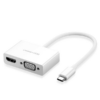
Reviews
There are no reviews yet.