
UGREEN HDMI to DVI Cable Male to Male 2K 1m Black – HD106
The UGREEN HDMI to DVI cable (model HD106, part no. 30116) is a 1-metre bi-directional adapter cable with an HDMI Type A male connector on one end and a DVI-D 24+1 male connector on the other. It connects HDMI source devices — laptops, desktops, Blu-ray players, and consoles — to monitors and displays with a DVI input, or alternatively connects DVI source devices to HDMI-equipped screens. It suits desktop PC builders, home office users, and AV installers working with mixed-interface display setups where HDMI and DVI equipment must share a signal path.
The “2K” designation in the product name refers to the cable’s support for resolutions up to 2560×1600 at the 1-metre length. This covers WQXGA and WQHD displays, which are common in professional creative and coding workstations. Additionally, the cable is fully backward compatible with 1920×1200, 1920×1080 Full HD, and lower resolutions, so it works reliably with older DVI monitors still in service. However, it is important to note that DVI does not carry audio — only the video signal is transmitted. A separate audio cable is required for sound when using this cable between a source device and a DVI display.
The cable is built with 30AWG oxygen-free copper conductors for minimal signal loss over the 1-metre run. Double shielding — aluminium foil and braid — protects against electromagnetic interference (EMI) and radio frequency interference (RFI). Furthermore, the gold-plated HDMI and DVI connectors resist corrosion and maintain reliable contact across repeated connections. The DVI end uses finger-tightened securing screws compatible with M2.6 threads, ensuring a firm mechanical connection that does not loosen with vibration or cable movement.
Technical Specifications
Cable & Build
| Attribute | Detail |
|---|---|
| Model | HD106 |
| Part Number | 30116 |
| Connector 1 | HDMI Type A Male |
| Connector 2 | DVI-D 24+1 Male |
| Cable Length | 1 metre |
| Conductor | 30AWG oxygen-free copper |
| Outer Diameter | 7.3mm |
| Shielding | Aluminium foil + braid (double shielding) |
| Connector Finish | Gold-plated |
| Jacket Material | PVC |
| Colour | Black |
| DVI Screw Thread | M2.6 |
| HDMI Version | 1.4 |
Video Performance
| Attribute | Detail |
|---|---|
| Maximum Resolution (1m) | 2K (2560×1600) @ 60Hz |
| Backward Compatibility | 1920×1200, 1920×1080, 1280×1024, 1024×768, 800×600 |
| Signal Direction | Bi-directional |
| HDCP Compliance | Yes |
Audio
| Attribute | Detail |
|---|---|
| Audio Transmission | Not supported (DVI carries video only) |
| Separate Audio Cable | Required for audio output |
Display Modes
| Mode | Description |
|---|---|
| Mirror Mode | Both screens display identical content |
| Extended Mode | Screens display different content as dual monitors |
In the Box
| Item | Quantity |
|---|---|
| UGREEN HD106 HDMI to DVI Cable 1m | 1× |
Use Cases and Applications
Desktop PC and Workstation Multi-Monitor Setups
Many desktop graphics cards include a mix of HDMI and DVI outputs. Similarly, older professional monitors often use DVI inputs. The UGREEN HDMI to DVI cable connects a graphics card’s HDMI output directly to a DVI monitor’s input without an adapter block, keeping the cable run clean and the desk tidy. Extended display mode additionally allows the monitor to function as a second screen alongside a primary HDMI display, which is common in coding, data analysis, and creative workflows.
Connecting Blu-Ray Players and Media Devices to DVI Monitors
Blu-ray players, set-top boxes, and media streaming devices with HDMI output can connect directly to DVI-input computer monitors using the HD106. This is useful in compact home office setups where the primary display is a DVI monitor rather than a TV. However, since DVI does not carry audio, a separate 3.5mm or optical audio cable from the source device to a speaker or amplifier is required to complete the audio-visual setup.
Legacy Display Integration in Professional Environments
Organisations with existing DVI displays — such as in meeting rooms, control rooms, or educational environments — can use the HD106 to connect newer HDMI-output laptops and computers to these displays without replacing the monitors. The cable’s bi-directional capability additionally means a DVI-output device, such as an older workstation or KVM switch, can output to an HDMI monitor should a DVI display be unavailable.




 No products in the cart.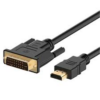
Reviews
There are no reviews yet.