
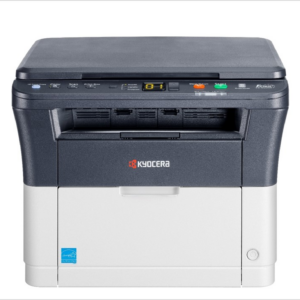
Kyocera Ecosys MA4000WIFX A4 Mono Wireless Multifunction Laser Printer
The Kyocera Ecosys MA4000WIFX is an A4 monochrome multifunction laser printer built for small to medium-sized workgroups that need reliable, high-volume output at a controlled cost. It handles print, copy, scan, and fax functions from a single compact desktop unit. Additionally, its built-in wireless connectivity and HyPAS platform support make it a strong fit for offices transitioning toward cloud-integrated document workflows.
Technical Specifications
General
| Attribute | Detail |
|---|---|
| Print Technology | Electrophotographic laser |
| Functions | Print, Copy, Scan, Fax |
| Print Speed (A4) | 40 ppm |
| Print Speed (Letter) | 42 ppm |
| First Page Out | Approx. 6.4 seconds or less |
| Warm-Up Time | 29 seconds or less |
| Monthly Duty Cycle | Up to 80,000 pages |
| Resolution | Up to 1,200 dpi |
Paper Handling
| Attribute | Detail |
|---|---|
| Standard Paper Tray | 250-sheet universal cassette (A4, A5, A6; 60–163 g/m²) |
| Multi-Purpose Tray | 100-sheet (A4, A5, A6, Custom; 60–220 g/m²) |
| Max. Input Capacity (with options) | 850 sheets (up to 2 optional paper feeders) |
| Duplex | Standard automatic duplex (stackless); 60–163 g/m² |
| Max. Media Size | A4 / Legal (216 × 356 mm) |
Connectivity
| Attribute | Detail |
|---|---|
| Network | Ethernet 10/100/1000Base-T |
| Wireless | Wi-Fi (2.4 GHz and 5 GHz), Wi-Fi Direct |
| USB | USB 2.0 device port, USB host port |
| Mobile Printing | Apple AirPrint, Mopria, Kyocera Mobile Print, Microsoft Universal Print |
| Cloud | Kyocera Cloud Access; optional Kyocera Cloud Print and Scan |
Scanning
| Attribute | Detail |
|---|---|
| Scanner Type | Dual Scan Document Processor (DSDP) |
| Scan Speed | Up to 86 images per minute (ipm) |
| Scan Destinations | Email, SMB, FTP, USB, cloud services |
| Max. Original Size | A4 |
Memory and Processing
| Attribute | Detail |
|---|---|
| Image Memory | 2 GB |
| Control Panel | 4.3-inch colour touchscreen (TSI) |
| Operating Systems | Windows (all current versions), macOS 10.9 or later, Chrome OS |
Power and Physical
| Attribute | Detail |
|---|---|
| Power Consumption (Printing) | 1,135 W (120 V) / 1,107 W (220–240 V) |
| Power Consumption (Ready) | 11.4 W |
| Sleep Mode Consumption | 11.8 W |
| Weight | Approx. 19 kg |
Security
| Attribute | Detail |
|---|---|
| Encryption | TLS v1.3 |
| Print Security | Private print (PIN), proof and hold, job storage |
| Authentication | Password, PIN code data storage |
Toner
| Cartridge | Page Yield (ISO/IEC 19752) |
|---|---|
| TK-1275 | 7,200 pages A4 |
| TK-1285 | 12,000 pages A4 |
Warranty
| Component | Coverage |
|---|---|
| Device | 1 year standard |
| Drum and Developer | 3 years or 100,000 pages (whichever occurs first) |
Use Cases and Applications
Office Document Workflows
The MA4000WIFX handles the volume demands of busy shared workgroups. Teams can send print jobs from Windows, macOS, or Chrome OS without installing proprietary drivers, and mobile workers connect directly via Wi-Fi Direct. Furthermore, Microsoft Universal Print support means IT departments can manage the device through the cloud without requiring an on-site print server.
Secure Document Environments
In legal offices, accounting firms, or healthcare settings, document confidentiality matters. The private print function holds jobs in the queue until the user authenticates at the device panel with a PIN. Moreover, TLS v1.3 encryption keeps data protected across the network. These features address compliance requirements without adding complexity to daily operations.
High-Volume Copy and Scan Operations
The dual scan document processor processes up to 86 images per minute, making it suitable for digitising contracts, records, or multi-page reports quickly. Additionally, automatic duplex scanning reduces handling time on double-sided originals. Scanned documents route directly to email, network folders, USB storage, or cloud destinations without passing through a workstation.



 No products in the cart.
Reviews
There are no reviews yet.