
Vention USB-C 8-in-1 Docking Station 0.15M (TOKHB)
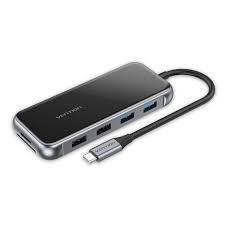
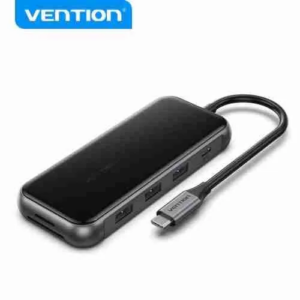
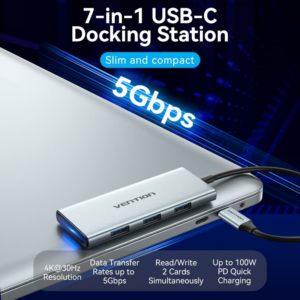
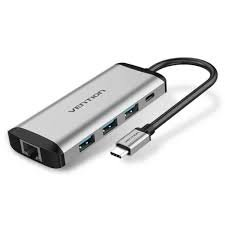
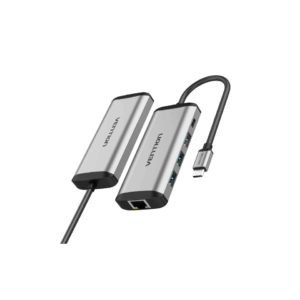
The Vention USB-C 8-in-1 Docking Station delivers essential connectivity through an ultra-compact 0.15-meter cable design. This versatile hub transforms a single USB-C port into eight critical connections. Features include dual HDMI outputs, multiple USB ports, SD/TF card readers, and 100W power delivery. Mobile professionals and compact workspace users will appreciate the space-saving design that positions directly at the laptop. The short cable eliminates desk clutter while providing immediate access to all ports.
USB-C Hub Technical Specifications
Video and Display Connectivity
- Video Outputs: 2× HDMI ports (4K@30Hz each)
- Maximum Display Configuration: Dual monitor extended desktop or mirrored mode
- Display Technology: DisplayPort Alt Mode over USB-C required
- Resolution Support: Independent resolution control per output up to 4K (3840×2160)
High-Speed Data Ports
- USB 3.0 Ports: 3× USB-A (5Gbps transfer speed)
- Card Readers: SD card slot (UHS-I), TF/microSD card slot (UHS-I)
- Total Port Count: Eight distinct connections in compact form factor
Power and Charging
- Power Input: USB-C PD 3.0 port supporting up to 100W passthrough
- Power Distribution: Approximately 15W allocated for hub operation
- Charging Compatibility: USB Power Delivery 3.0 specification compliant
- Charging Output: Up to 85W delivered to connected laptop
Physical Design
- Cable Length: 0.15 meters (15cm) – ultra-short design for near-laptop positioning
- Housing Material: Aluminum alloy construction with integrated heat dissipation
- Form Factor: Compact rectangular hub body accommodating eight ports
- Portability: Lightweight design under 150g ideal for travel and mobile workstations
- Finish: Matte aluminum surface resistant to fingerprints and scratches
Docking Station Compatibility
- Operating Systems: Windows 10/11, macOS 10.13+, Chrome OS, Linux distributions
- Compatible Devices: MacBook Pro/Air (2016+), Dell XPS 13/15/17, HP EliteBook/Spectre x360, Lenovo ThinkPad series, Surface Pro/Laptop, ASUS ZenBook, Acer Swift, Samsung Galaxy with DeX
- Requirements: USB-C port with DisplayPort Alt Mode and Power Delivery support
Performance Specifications
- USB Transfer Speed: Up to 5Gbps per port (USB 3.2 Gen 1 standard)
- Card Reader Speed: UHS-I Class 1 up to 104MB/s per slot
- HDMI Version: HDMI 2.0 specification support
- Bandwidth Allocation: Dynamic bandwidth management across all active ports
Multi-Port Hub Use Cases & Applications
Photography and Content Creation
The Vention TOKHB docking station streamlines media workflows with dual card readers that operate simultaneously. Transfer photos from your camera’s SD card while backing up drone footage from a microSD card. View edits on two external 4K displays for accurate color grading and detail inspection. The ultra-short cable keeps the hub within easy reach for frequent card swapping throughout shooting days. USB 3.0 ports provide fast access to external storage drives containing photo libraries and backup archives.
Business and Professional Workspaces
Professionals create efficient dual-monitor setups for enhanced productivity. Display email and communications on one screen while keeping spreadsheets or presentations on another. The compact 0.15-meter cable prevents the docking station from dangling or creating desk clutter. Connect wired peripherals like keyboards, mice, and webcams through USB ports. Maintain laptop charging at up to 85W throughout extended work sessions without requiring separate power adapters.
Video Editing Workflows
Video editors benefit from dual 4K displays for timeline and preview monitoring. View your editing timeline on one screen while previewing output on another. Transfer footage directly from SD cards and access external storage through high-speed USB 3.0 ports. The short cable design keeps the hub accessible on editing desks where space is often limited by keyboards, tablets, and other production equipment.
Presentation and Training
Presenters connect to conference room displays quickly with dual HDMI outputs. Extend your desktop to show presentation slides while keeping speaker notes on your laptop screen. The plug-and-play functionality eliminates setup delays when switching between presenters. The ultra-short cable prevents trip hazards during presentations and keeps the hub positioned securely at the laptop.
Educational Environments
Students and educators enhance learning with dual-display configurations. View research materials on one screen while writing assignments on another. Access files from USB drives and transfer assignments from SD cards. The lightweight portable design makes it easy to move between classrooms, libraries, and study spaces. The 100W power delivery keeps devices charged during long study sessions.
Compact Home Office Setups
Remote workers maximize productivity in limited desk spaces with the ultra-short cable design that eliminates workspace clutter. Connect two monitors for comprehensive multitasking without excessive cable management. Access peripherals through three USB ports positioned conveniently near the laptop. The aluminum construction provides durability for daily connection and disconnection cycles.
Important Compatibility Considerations
Dual Display Requirements
Simultaneous operation of both HDMI outputs requires your laptop to support dual video streams over USB-C. Some older USB-C implementations may only support single display output. Verify your device specifications include DisplayPort Alt Mode with multi-stream transport (MST) capability. Using both displays simultaneously may limit each output to 1080p resolution on some systems with bandwidth constraints.
Power Delivery Allocation
While the hub supports 100W passthrough charging, actual laptop charging power equals your power adapter wattage minus approximately 15W for hub operation. Using a 65W charger delivers approximately 50W to your laptop. High-performance laptops requiring 85W or more should use 100W USB-C power adapters. Some laptops with proprietary charging standards may not charge through USB-C connections.
Display Resolution Limitations
Each HDMI port supports 4K resolution at 30Hz refresh rate. For applications requiring higher refresh rates, maximum resolution drops to 1080p at 60Hz. Gamers and users requiring smooth motion should consider these refresh rate limitations. The HDMI 2.0 specification does not support 4K at 60Hz when using both outputs simultaneously.
USB Bandwidth Considerations
The three USB 3.0 ports share available USB-C bandwidth. Running multiple high-speed operations simultaneously may reduce individual port transfer speeds. Transferring large files on multiple USB drives while reading from both card slots can impact performance. For optimal speeds, perform intensive data transfers sequentially rather than simultaneously.
Card Reader Performance
Both SD and TF card slots support simultaneous reading. However, transfer speeds may decrease when both slots are active compared to single-card operation. The UHS-I specification supports up to 104MB/s theoretical maximum. Actual speeds depend on card quality, file size, and system USB-C controller capabilities. Older or slower memory cards will not achieve maximum transfer rates.
Operating System Considerations
While the hub works across multiple platforms, some features may require specific driver support. Windows users typically get full functionality with built-in drivers. macOS users should verify their specific MacBook model supports dual external displays. Some MacBook Air models are limited to single external display output regardless of hub capabilities.
 No products in the cart.
Reviews
There are no reviews yet.